What Is Ping? How the Network Diagnostic Utility Works
Ping is a network diagnostic utility that tests host reachability and measures latency using ICMP echo requests and replies.
 Dig Trace Team· Network Engineering Team7 min read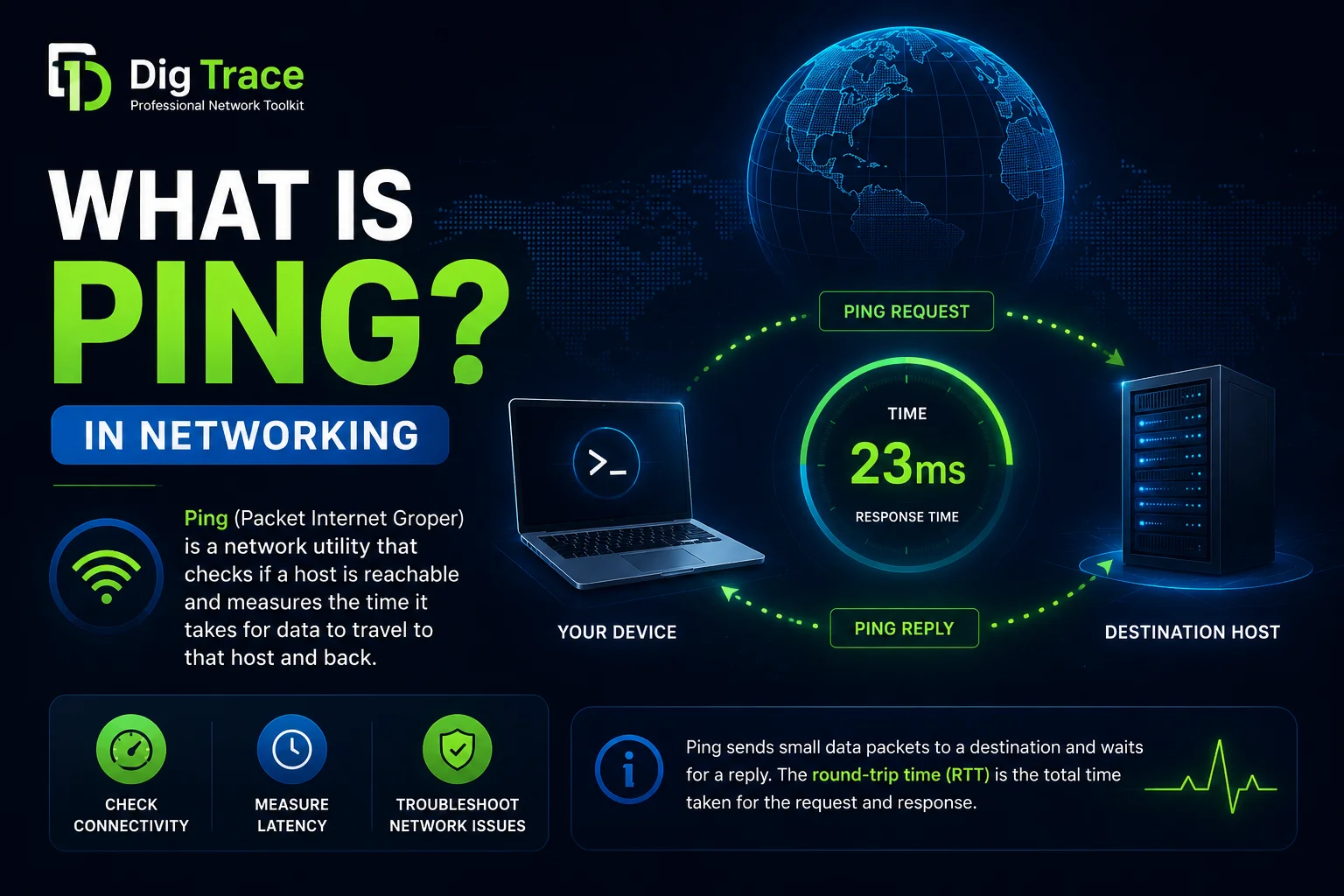
Ping is a command-line utility that tests whether a remote host is reachable across an IP network and measures how long packets take to travel there and back. It's available on virtually every modern operating system and remains one of the first tools network administrators and developers reach for when connectivity fails. If you've ever wondered what is my ping or wanted to test your connection latency, you can run a quick test with our online ping tool without opening a terminal.
What is ping?
Despite its simplicity, ping is often misunderstood as a protocol in its own right. It's actually a user-facing program that relies on the Internet Control Message Protocol (ICMP), a network-layer helper designed for error reporting and diagnostics rather than user data. When you run the ping command, you are asking a target machine to acknowledge its presence. The name comes from sonar terminology, where an audible pulse is sent into water and its echo reveals the distance to an object. The original implementation was written for BSD UNIX in 1983, and the utility has since become a standard part of every TCP/IP stack.
The utility sends small packets called ICMP Echo Requests to a destination identified by an IP address or hostname. If the path is clear and the target is willing to respond, it replies with an ICMP Echo Reply. The sender then calculates the round-trip time (RTT) and tracks how many replies arrive. These two metrics, latency and packet loss, form the core of every ping report.
How does ping work?
The process begins at the source host. The ping utility builds an ICMP Echo Request packet that includes a sequence number, an identifier, and a small payload of arbitrary data. This packet is wrapped inside an IP datagram and routed toward the target just like any other traffic. No transport-layer port is involved because ICMP operates directly on top of IP.
When the destination host receives the datagram, its network stack inspects the protocol field, recognizes the ICMP Echo Request (Type 8 in IPv4), and immediately constructs a matching Echo Reply (Type 0). The reply carries the same payload so the sender can verify it. Upon arrival back at the source, the utility timestamps the response, computes the elapsed milliseconds, and records the result.
The identifier and sequence number inside the packet let the sender match each reply to its original request. This matters when you're running several ping sessions at once or when replies arrive out of order. The optional payload, sometimes filled with a timestamp or patterned data, helps detect corruption in transit.
It repeats this cycle at a default interval of one second until it reaches a configured count or the user interrupts it. At the end of the session, ping prints summary statistics: packets transmitted, packets received, percentage loss, and the minimum, average, maximum, and standard deviation of RTT. These numbers reveal not just whether a host is online, but whether the path between you and the host is stable.
A failed ping doesn't prove a host is down. Many firewalls and routers are configured to drop ICMP traffic for security reasons, even when TCP and UDP services on the host are functioning normally.
Ping compared to traceroute and port checks
Ping answers a binary question: is the host reachable and how fast? It doesn't show the route your packets took. For path discovery, network operators use traceroute or MTR, which manipulate the Time-To-Live (TTL) field to elicit ICMP Time Exceeded messages from each intermediate router. Where ping gives you endpoint health, traceroute maps the journey hop by hop.
There are also tools that perform "TCP pings" or "UDP pings" by opening a socket to a specific port. These can be useful when ICMP is blocked, but they aren't true ping. They test application-layer reachability on a given port rather than raw IP connectivity. Standard ICMP ping sits at Layer 3 and requires no port number at all.
How to run the ping command
The syntax is nearly identical across platforms, though defaults differ. On Linux and macOS, ping sends packets continuously until you press Ctrl+C. On Windows, it stops after four packets by default.
To send four ICMP echo requests to a target from Linux:
$ ping -c 4 example.com
Typical output looks like this:
PING example.com (93.184.216.34) 56(84) bytes of data.
64 bytes from 93.184.216.34: icmp_seq=1 ttl=55 time=12.3 ms
64 bytes from 93.184.216.34: icmp_seq=2 ttl=55 time=11.9 ms
64 bytes from 93.184.216.34: icmp_seq=3 ttl=55 time=12.1 ms
64 bytes from 93.184.216.34: icmp_seq=4 ttl=55 time=12.0 ms

--- example.com ping statistics ---
4 packets transmitted, 4 received, 0% packet loss, time 3005ms
rtt min/avg/max/mdev = 11.912/12.075/12.312/0.149 ms
The final line of the statistics block shows min, avg, max, and mdev. A small mdev means the connection is stable, while a large value suggests variable latency.
On Windows, the equivalent command uses -n instead of -c:
C:\> ping -n 4 example.com
Other useful options include -i to change the interval between packets, -s to set payload size, and -4 or -6 to force IPv4 or IPv6. Modern Linux distributions merge IPv4 and IPv6 into a single binary, auto-detecting the address family from the target you provide.
Reading results and common misconceptions
Each reply line contains three useful pieces of information. The icmp_seq value lets you spot out-of-order packets. The ttl (Time-To-Live) shows how many router hops remain before the packet would be discarded, which gives a rough sense of distance. The time field is the RTT for that single packet.
Jitter, the variation between consecutive RTT values, often matters more than absolute latency for voice and video traffic. A low average with high jitter still produces a poor experience.
If you see request timeouts or high packet loss, the cause could be congestion, routing instability, or an intermediate firewall dropping ICMP. Because many security policies filter these packets, a silent ping shouldn't ever be the sole evidence of an outage. Always corroborate with TCP connection tests, application logs, or alternative paths.
For IPv6 networks, this caution is even more important. ICMPv6 isn't optional in the way ICMPv4 often is treated. It carries essential functions such as Neighbor Discovery and Path MTU Discovery. Blocking ICMPv6 echo messages is one thing, but blocking ICMPv6 altogether will break IPv6 connectivity in ways that go far beyond a failed ping test.
Why ping remains essential
Decades after its creation, ping is still the quickest way to confirm that the network layer is alive. Before you debug a web server or database connection, you can verify in seconds whether the target host is reachable at the IP level. Unlike application-specific tests, ping isolates the network layer. If ping succeeds but a website fails to load, you can rule out basic routing and focus on DNS, TLS, or HTTP issues.
Continuous monitoring systems use ping as a baseline metric. A steady rise in RTT or intermittent loss often predicts larger problems before they affect user-facing applications. Operators often graph these values over hours or days to spot trends that single tests miss. When paired with DNS resolution checks and route analysis, ping provides the first coordinate on the map of any network fault.
You can also try our online ping tool to test reachability from external vantage points without opening a local terminal.